How to organize my shelves
Shelves let you classify your books by theme, genre or any other criteria.
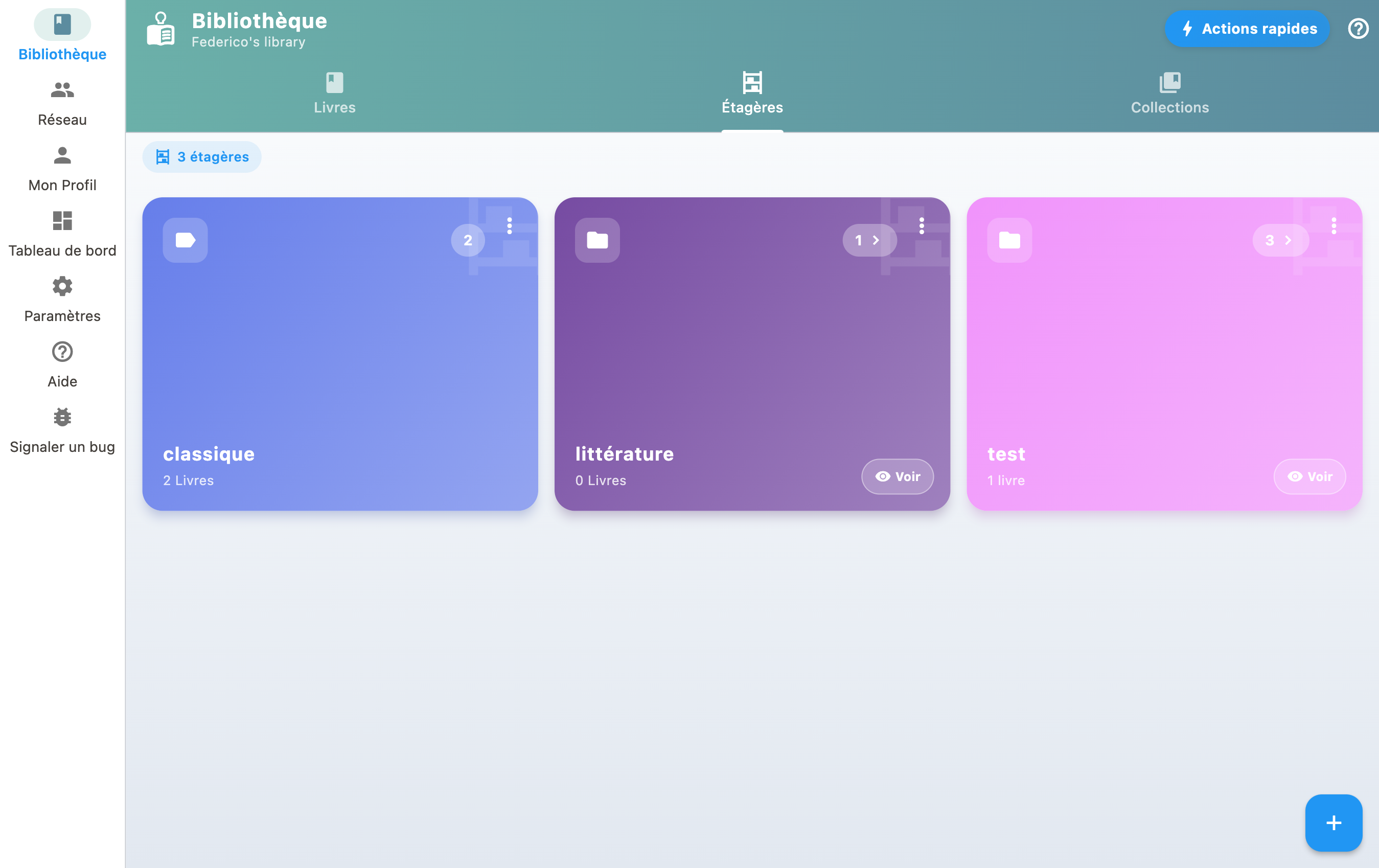
Create and manage shelves
- Create thematic shelves for your books (e.g., "SciFi", "Favorites").
- In your Library, tap a shelf to filter.
- Tap the Sort icon to enter reorder mode.
- Drag books to your preferred order, or tap A-Z for auto-sort by author.
- Tap the checkmark to save your arrangement!
Assign books to shelves
From a book's detail page, you can assign it to one or more shelves. A single book can appear on multiple shelves.
Reorder books
Switch to reorder mode to change the order of books by drag-and-drop, or use auto-sort (by author, title, date added).
A shelf that looks empty
The count shown on a shelf matches what the shelf shows once opened: the two numbers no longer contradict each other.
A shelf whose books all sit outside the default view stays listed, at zero, and opens on an explanation: "Nothing on this shelf is in your library", with how many books are concerned, wishlist books or books on loan, and a "Show them anyway" button. See My wishlist.
Suggested genres
When adding or editing a book, BiblioGenius offers a closed list of genres (crime, science fiction, biography, comics and so on), with a second level to refine. Picking a genre files the book on the matching shelf.
It is a shortcut, not an obligation: the shelf is only created when you pick the genre, and your own shelves are never touched. You can ignore the suggestions and keep filing everything by hand.